no need to double click on email properties for message headers
Outlook 365 –> options –>
Quick Access Toolbar item –> select
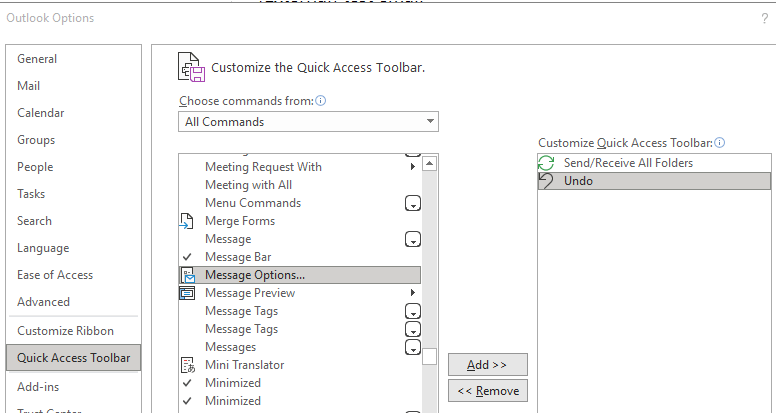
choose All Commands in “choose commands from” under customize toolbar –> select message options –> add –> OK
no need to double click on email properties for message headers
Outlook 365 –> options –>
Quick Access Toolbar item –> select
choose All Commands in “choose commands from” under customize toolbar –> select message options –> add –> OK
 onelinecommand
Leave a comment